WebSocket Testing Tool
A WebSocket proxy and debugger that runs directly in your browser. Intercept, inspect, and modify wss traffic in real time. Free, open source Chrome extension for developers and QA engineers.
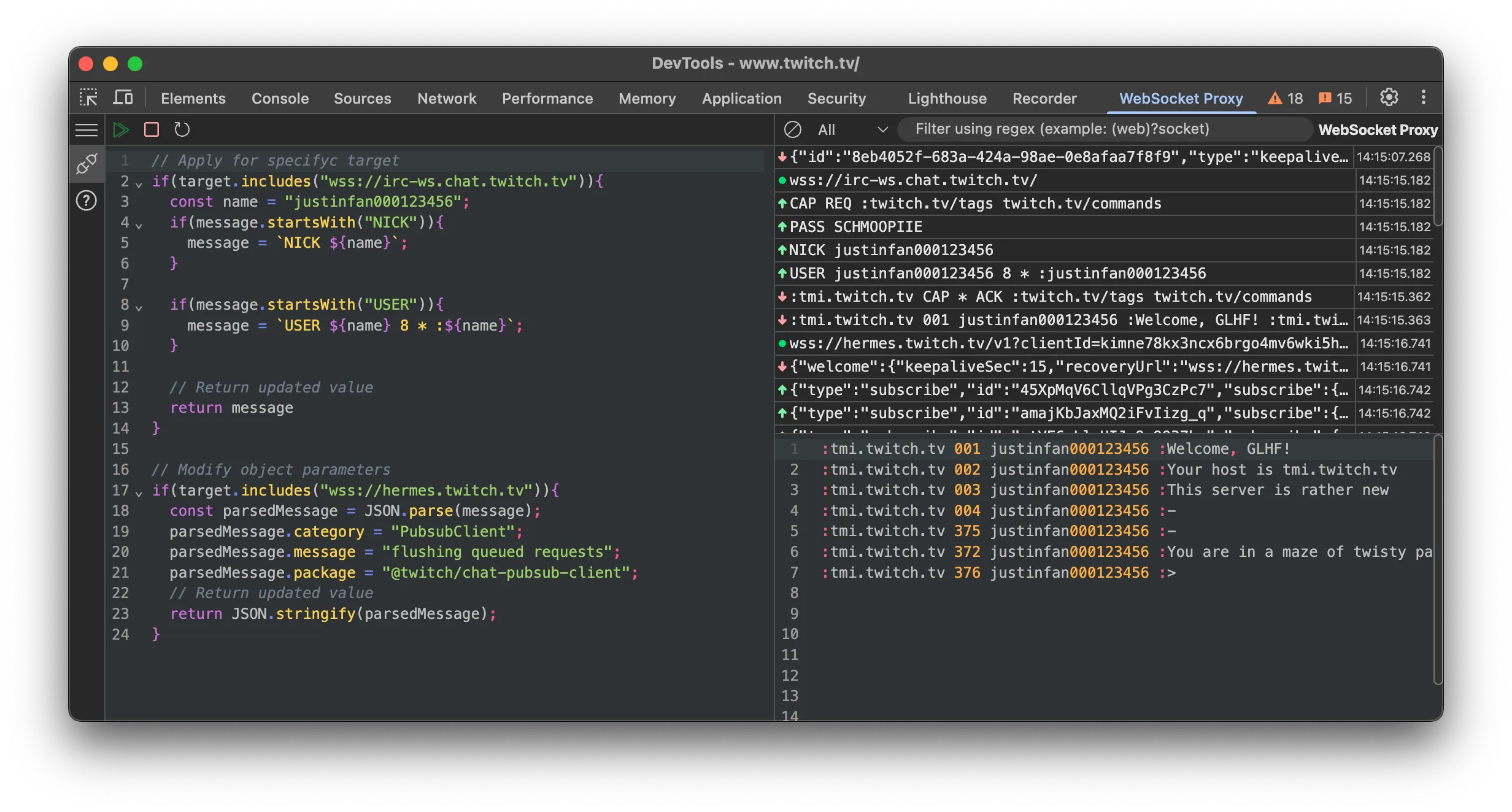
What It Does
WebSocket Proxy
Proxy all WebSocket traffic through the extension. Every ws and wss frame passes through your rules before reaching its destination.
Traffic Monitor
See every WebSocket frame in real time. Sent and received messages are logged with timestamps, payload size, and direction indicators.
Message Modification
Write JavaScript code that wraps outgoing messages before they are sent. Transform payloads, inject fields, or rewrite data on the fly.
How to Get Started
- 1
Install the Extension
Add to Chrome from the Chrome Web Store. It is free.
- 2
Open Any WebSocket Site
Navigate to a website that uses WebSocket connections: chat apps, trading platforms, games, and similar.
- 3
Start Testing
Click the extension icon to start the WebSocket proxy. See all traffic, set up modification rules, and debug connections in real time.
Use Cases
Development and Debugging
Use the WebSocket debugger to inspect frames while building real-time features. Debug connection issues, message formats, and protocol compliance without leaving Chrome DevTools.
QA and WebSocket Testing
Test how your app handles modified WebSocket messages, connection drops, and edge cases. Proxy traffic and inject changes without touching server code.
Security Auditing
Analyze wss traffic for security vulnerabilities. Use the WebSocket proxy to test input validation, check authentication flows, and detect data exposure.
Learning and Research
Understand how popular services use WebSocket connections. Monitor real-time protocols, study message patterns, and learn best practices by observing live traffic.
Roadmap
Features in active development. The extension is updated regularly through the Chrome Web Store.
Custom Message Injection
Send custom messages to the server or client within an active WebSocket connection. Useful for testing how your app reacts to specific payloads without writing test scripts.
Inbound Message Modification
Modify messages coming from the server before they reach your client code. Currently the extension supports outbound modification; inbound is next.
Test Automation
Automated WebSocket testing for common scenarios: security checks, message validation, connection stability. Run predefined test suites against any WebSocket endpoint.
Micro-Automation Scripts
Write scripts that react to incoming messages automatically. Similar to Postman test scripts: when a specific message arrives, trigger a response, log data, or run assertions.
Built-in WebSocket Client
A lightweight WebSocket client inside the extension. Connect to any ws or wss endpoint directly, without needing a separate tab or tool. Quick testing without leaving DevTools.